Send your notes to Teamleader.
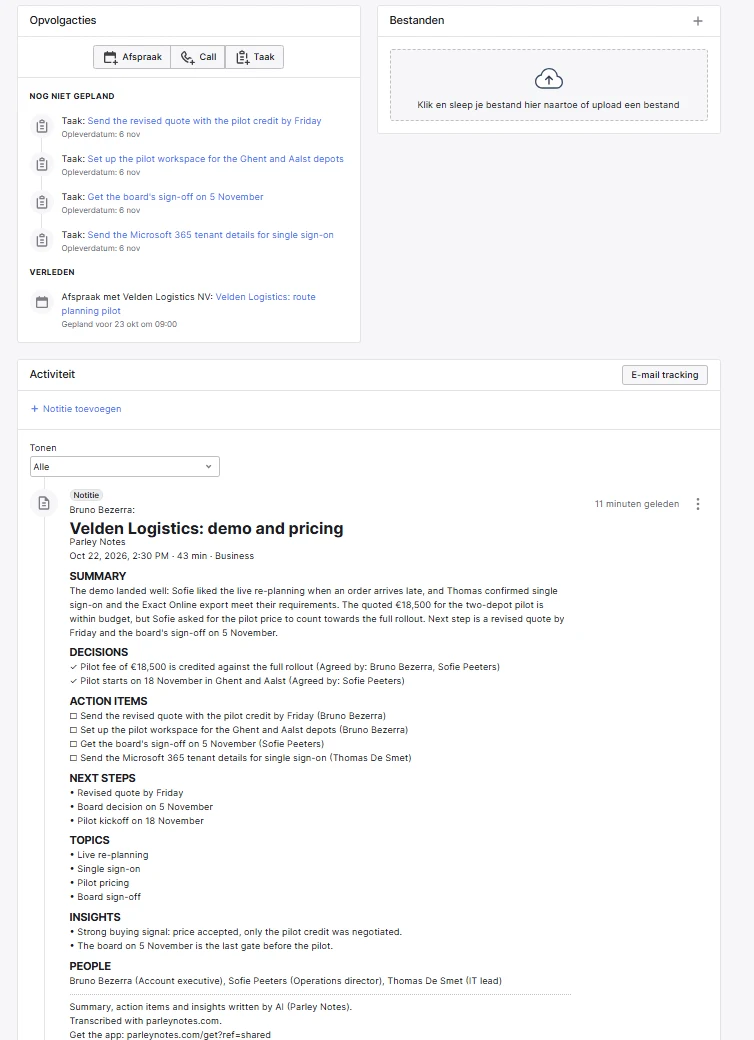
Parley Notes writes up your meetings. One click sends the note to a contact, company or deal in Teamleader, and its action items become Teamleader tasks.

Your meeting lands in Teamleader without you typing it in.
The note goes where it belongs
Send it to a contact, a company or a deal. It carries the summary, the decisions and the action items, and a share link if you want one.
The to-dos become tasks
Each action item becomes a Teamleader task. You pick the work type and the due date.
Nothing happens without you
Nothing is sent until you click Send. Parley Notes never changes or deletes anything in Teamleader.
Connect once and then send any note in two clicks.
- Connect Teamleader
In Parley Notes, open Settings › Connections › Teamleader and choose Connect.
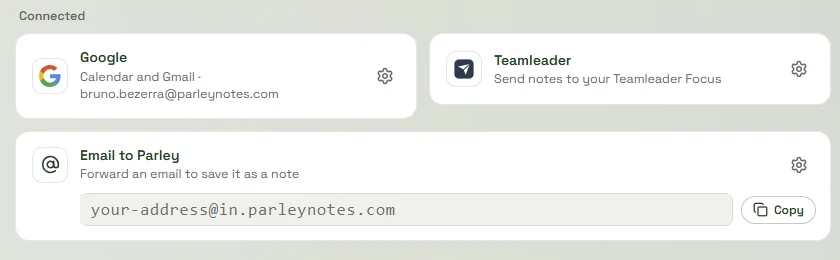
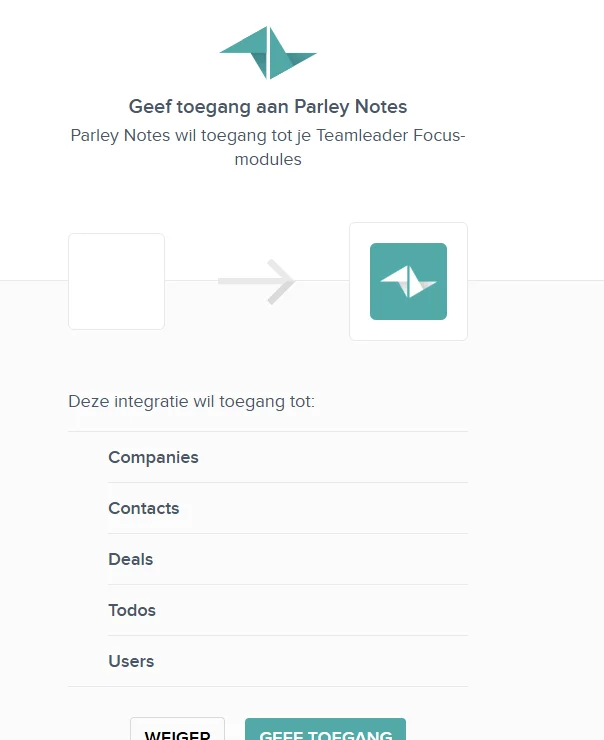
- Allow access
Sign in to Teamleader and allow Parley Notes to add notes and tasks.
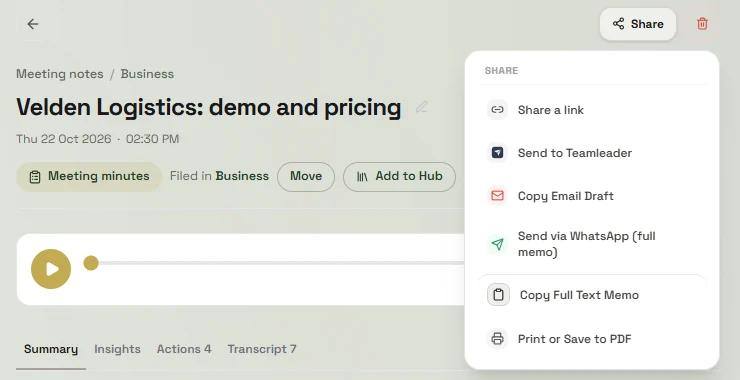
- Open a note and send it
Open any note, choose Share › Send to Teamleader.
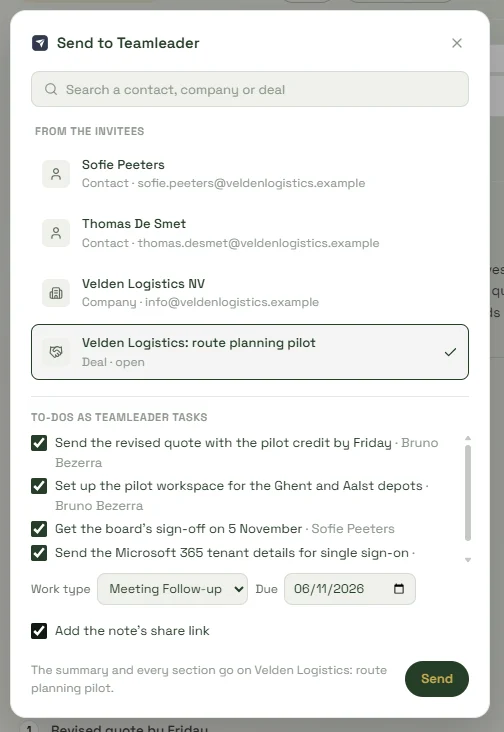
- Pick where it goes
Search for the contact, company or deal. Choose the to-dos to send as tasks, with their work type and due date. Add a share link if you want one. Then click Send.
- See it in Teamleader
The note appears under Activity on the contact, company or deal. Each to-do you picked is a task under its follow-ups.
Parley Notes reads and writes only what it needs and only when you ask.
It reads
- The contacts, companies and deals you search for, or that match the meeting's invitees
- Your work types, so a task gets the right one
- Your users, so a task gets the right owner
It writes
- One note, to the contact, company or deal you pick
- The tasks you choose to send
- It writes only when you click Send and never changes or deletes anything.
The tokens Teamleader gives us are stored encrypted on our server. Read more in Private by design and the privacy policy.
Turn it off at any time from either side.
In Parley Notes
Open Settings › Connections › Teamleader and choose Disconnect. We delete the tokens from our server.
In Teamleader
Remove Parley Notes from your integrations in the Teamleader Marketplace. This ends the access on Teamleader's side.
Questions? Contact support.
Start with one meeting
and see where it goes.
Free to start on every device.
Plans and prices are on the pricing page.